Purchases & payables
What you owe, to whom, and by when
Supplier bills, what you owe and when it is due, in one place.

- Payables by age
- Fill from the bill
- GSTR-2B matching
Every supplier bill, by age
- Payables in ageing buckets, like receivables
- Supplier statements to share as PDF
- Search and date filters on the purchase register
Read more
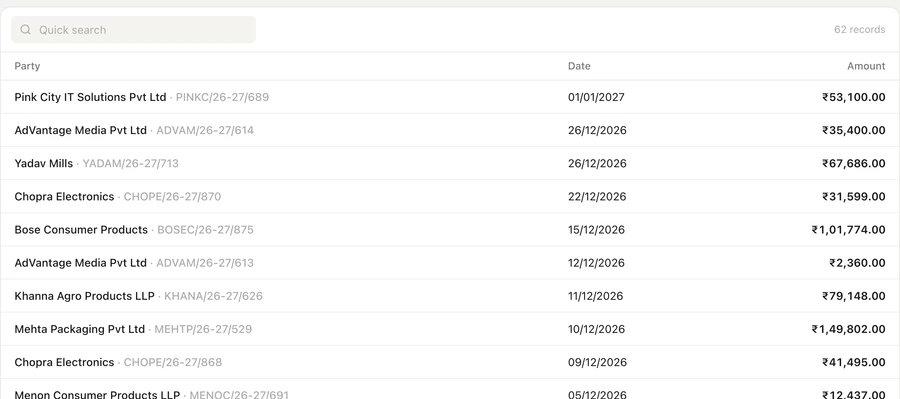
Open Payables from the dashboard to see what you owe, grouped by age, with each supplier's unpaid bills and recent payments. The Purchase screen lists purchase invoices, the purchase register, orders and debit notes, and each supplier's ledger opens to its statement. Filter to overdue bills to plan the week's payments, and call or WhatsApp a supplier from the list.
Record a purchase from the supplier's bill
- Turn a purchase order into a purchase invoice
- Record the payment with the invoice when you pay at once
- Each entry costs 0.10 credit when posted to TallyPrime
Read more
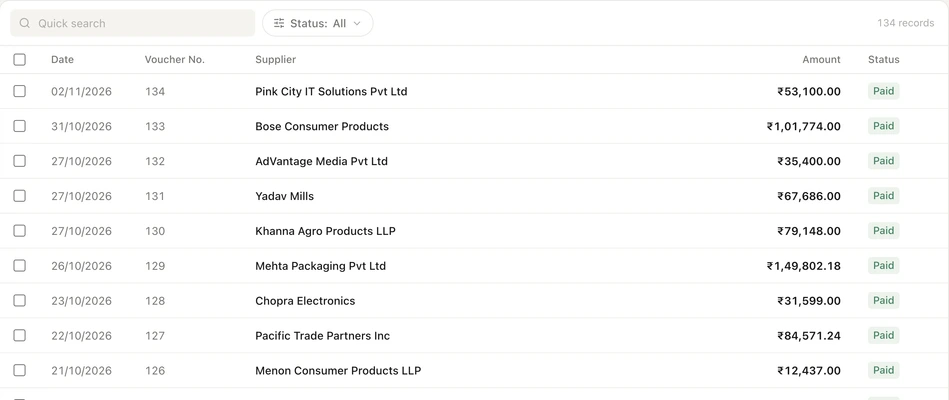
Create a purchase invoice, purchase order or debit note on the web portal or in the app, and the Auditer Agent posts it into TallyPrime. If the supplier's bill carries an e-invoice QR code, scan it to fill in the supplier, bill number and date; you add the items, because the QR holds totals only. Attach a photo or PDF of the bill and it is saved with the entry. Auditer warns you when the GSTIN, bill number or total differs from the bill, and will not import the same e-invoice twice.
Protect your input tax credit
- Suppliers who have not filed, with the credit at risk
- Supplier reminders by email from the same screen
- A GSTIN check before you buy from a new supplier
Read more
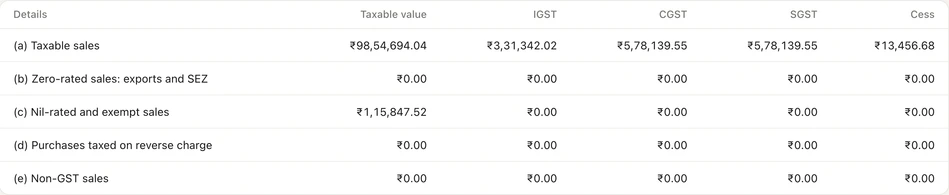
Auditer matches your purchase vouchers with GSTR-2B, the statement the GST portal prepares from your suppliers' filings. You can claim input tax credit only for invoices that appear in it, so Auditer lists the suppliers who have not filed and the credit at risk in rupees. A Remind button emails each supplier the details. You can also check any party's GSTIN, and accept or reject supplier invoices in the Invoice Management System (IMS) if the Owner allows it.
How to record a purchase
- 1Open Create
- 2Scan or choose the supplier
- 3Add items and save
- 4Check My Entries
Read more
- 1. Open Create. On the web portal click Create, then Purchase. In the app tap the + tab, then Purchase.
- 2. Scan or choose the supplier. Scan the e-invoice QR code on the bill, or pick the supplier and type the bill number and date.
- 3. Add items and save. Add each item with quantity, rate and godown, attach the bill if you like, and save.
- 4. Check My Entries. The Auditer Agent posts the entry into TallyPrime, and My Entries shows when it is in.
What it costs
Estimate your costRead more
Viewing purchases, payables and supplier ledgers is free. Each purchase invoice, order, debit note or payment you create in Auditer costs 0.10 credit when it is posted to TallyPrime. GSTR-2B matching comes with GST returns, which cost 100 credits once per company to turn on.
- Purchases, payables and ledgers
- Free
- Entry posted to TallyPrime
- 0.10 credit
- Turning on GST returns, per company
- 100 credits once
Frequently asked questions
Purchases & payables shows purchase vouchers, payables and supplier ledgers from TallyPrime on the web portal and the Android and iPhone apps, and lets you record purchases that are posted back into Tally. It helps owners plan payments and helps accountants protect input tax credit by matching purchases with GSTR-2B. Viewing is free; each purchase entry posted to TallyPrime costs 0.10 credit.
How can I see what I owe suppliers on my phone?
Open Payables in the Auditer app or on the web portal dashboard. It shows each supplier's unpaid bills from TallyPrime, grouped by age, as of the last sync.
Can Auditer read a supplier's bill to fill a purchase entry?
Yes, when the bill has an e-invoice QR code. Scanning it fills in the supplier, bill number and date, and you add the items, since the QR carries totals only. You can attach a photo or PDF of any bill to the entry.
Do purchase entries made in Auditer go into TallyPrime?
Yes. The Auditer Agent posts them into TallyPrime as purchase vouchers, or as optional vouchers if that is your entry mode. My Entries shows the status of each one.
How do I find suppliers who have not filed GSTR-1?
Auditer matches your purchase vouchers with GSTR-2B and lists the suppliers whose invoices are missing, with the input tax credit at risk in rupees. A Remind button emails each supplier the details.
Can I claim ITC on an invoice that is not in GSTR-2B?
No. Input tax credit can be claimed only for invoices that appear in your GSTR-2B, so claim it in the period in which the invoice appears, within the time limit.
Related features
Bring your Tally books with you
Install the Agent, connect TallyPrime and see your business on any screen in minutes. Start with 10 free credits.
10 free credits. No card needed.