Create entries anywhere
Make the entry where the work happens
Make invoices, receipts and vouchers on the go; they land in TallyPrime.
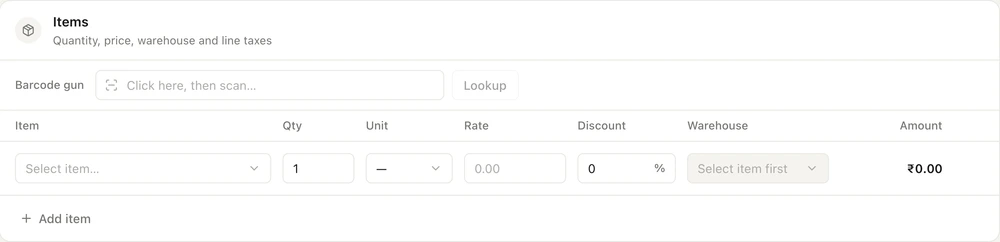
- Invoices to journals
- A status for every entry
- Optional entries for review
What you can create
- Receipts and payments by cash, bank, cheque, NEFT, RTGS or UPI, matched to bills
- Sales invoices with credit terms and dispatch details for the e-way bill
- Unsaved invoices kept as drafts for 30 minutes
Read more
Sales invoices, sales orders, delivery notes, credit notes and proforma invoices; purchase invoices, purchase orders and debit notes; receipts, payments, journals, contra and expenses; stock transfers and adjustments; and new parties, ledgers, stock items and godowns. Quotations can be made on the web portal for sharing; they are not written to TallyPrime. Turn a sales order or proforma into an invoice, or a purchase order into a purchase invoice, without typing it again. Your role decides which of these you can create.
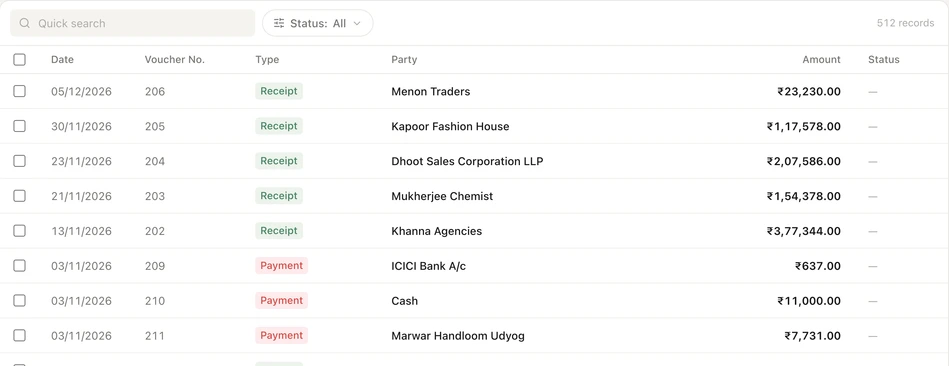
Regular or optional, your choice
- Entries go into the current financial year, April to March
- Future dates are not allowed
- Optional only gives new staff a review step
Read more
A regular entry is a normal TallyPrime voucher dated today. An optional entry is saved in TallyPrime as an optional voucher: it has no effect on the books until someone makes it regular in Tally, and it can be dated earlier in the current financial year. Each role's entry mode is regular only, optional only or both. Proforma invoices are always optional.
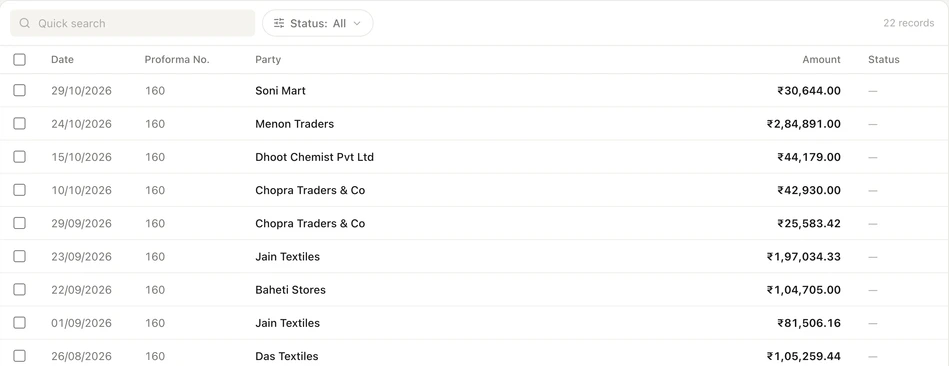
From the queue into TallyPrime
- Entries wait while a sync or Hard Sync runs
- Retry on the web portal, or Push in the app
- Retries cost nothing
Read more
Saved entries wait in a queue, and the Auditer Agent posts them when the Tally PC is online and TallyPrime is open. My Entries shows each one as pending, posted or failed, with the Tally voucher number once it is in. If Tally refuses an entry you see its reason, fix the cause and retry; failed entries are also retried automatically up to five times. If Tally does not confirm whether it saved an entry, Auditer asks you to check the day book before posting again.
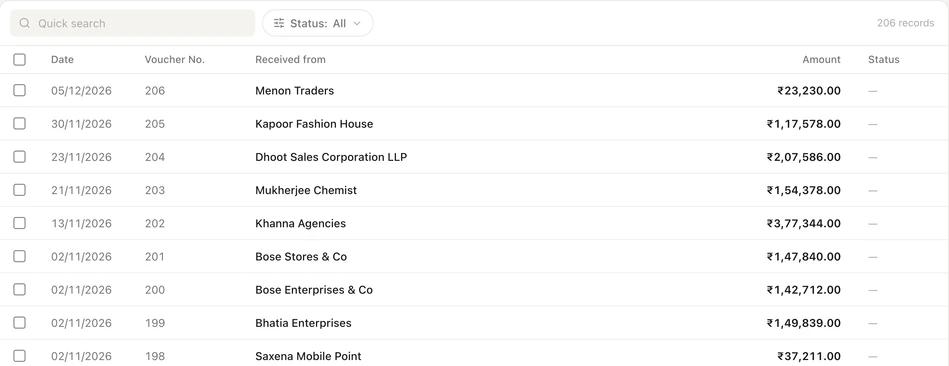
How to create an entry
- 1Connect TallyPrime
- 2Click Create
- 3Fill it in and save
- 4Track it
Read more
- 1. Connect TallyPrime. Pair the Auditer Agent with your workspace and let the first sync finish; live entries need it.
- 2. Click Create. On the web portal use Create in the top bar. In the app tap the + tab for Quick Actions.
- 3. Fill it in and save. Pick the party, ledger and items. Auditer offers the ledgers, taxes and godowns already in your books.
- 4. Track it. Open My Entries to see it posted into TallyPrime, with Tally's voucher number.
What it costs
Estimate your costRead more
Each entry created in Auditer and posted to TallyPrime costs 0.10 credit, charged once; retries are free. Quotations are not posted, so they cost nothing unless you share one as a PDF. Entries your accountant makes directly in TallyPrime are never charged.
- Entry posted to TallyPrime
- 0.10 credit
- Retry after a failure
- Free
- Document shared as PDF
- 0.10 credit
Frequently asked questions
Create entries anywhere lets your team make TallyPrime vouchers and masters on the web portal and the Android and iPhone apps, and the Auditer Agent posts them into TallyPrime. It helps salespeople, collection staff and storekeepers record work on the spot while the accountant keeps one set of books. Each entry costs 0.10 credit when it is posted, and retries are free.
Can I create a Tally invoice from my mobile?
Yes. Create a sales invoice in the Auditer app or on the web portal, and the Auditer Agent posts it into TallyPrime on your PC with your ledgers, taxes and numbering.
Does the Tally PC need to be on to create an entry?
No. You can save an entry whenever you have internet. It waits in the queue and is posted when the Tally PC is online with TallyPrime open.
Can I make back-dated entries in Auditer?
Regular entries are dated today. Optional entries can be dated earlier in the current financial year and count once they are made regular in TallyPrime; entries for a past financial year are not allowed.
What happens if TallyPrime rejects an entry?
My Entries shows it as failed with Tally's reason, such as a missing ledger. Fix the cause and retry; retries are free.
Which voucher number does an entry get in TallyPrime?
By default Auditer follows your TallyPrime numbering series. You can switch to the Auditer series in Voucher Configuration.
Related features
Bring your Tally books with you
Install the Agent, connect TallyPrime and see your business on any screen in minutes. Start with 10 free credits.
10 free credits. No card needed.